Production
Discover machines and connections in a production line. Identify dependencies during maintenance and outages.
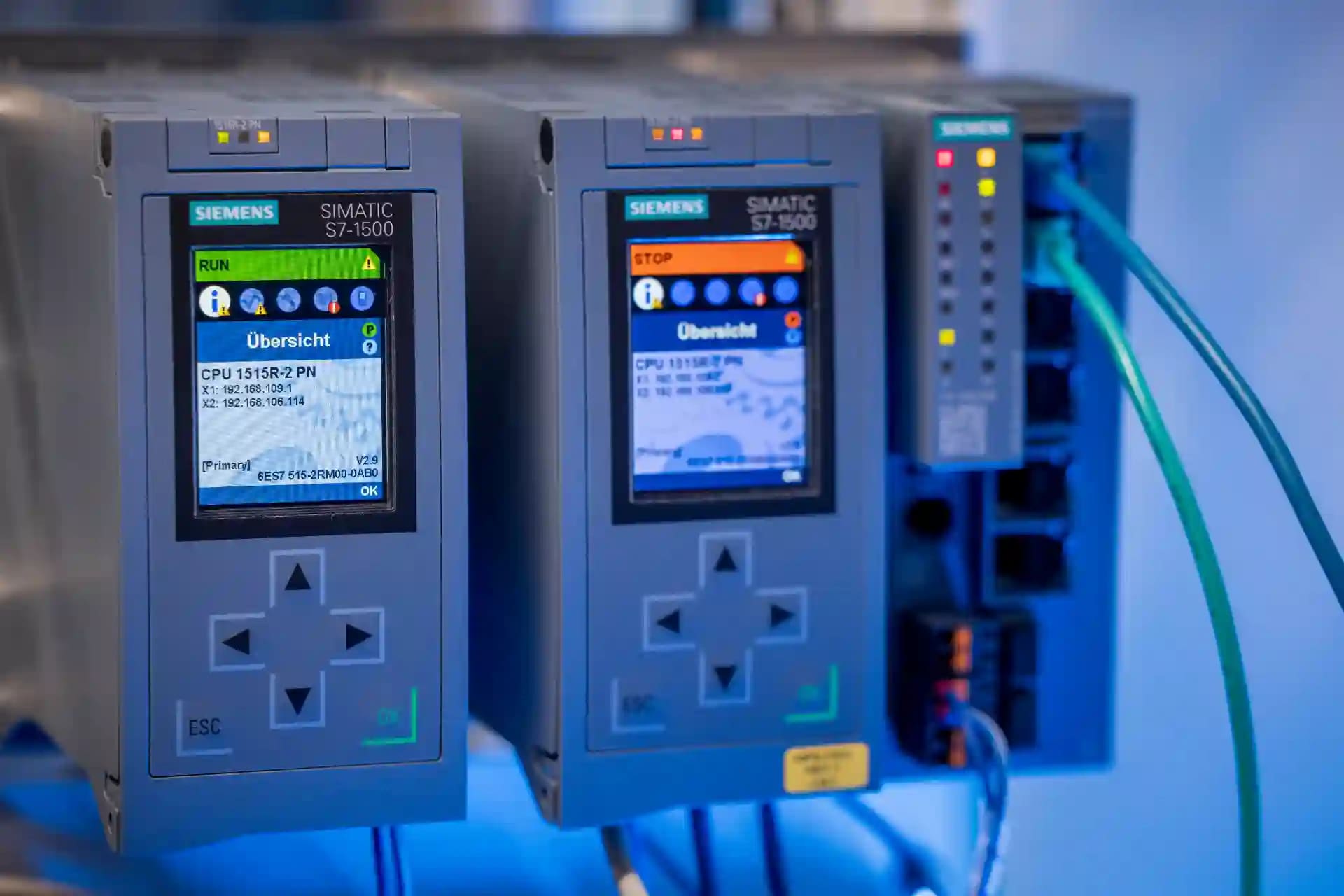
focusAlert collects events from machines, monitoring, SCADASCADA refers to systems for monitoring and remotely controlling industrial processes., or email and brings the right alarm to the right person, not to everyone.
An incidentAn IT security incident is an event in which the confidentiality, integrity, availability, or authenticity of IT or OT systems may be impacted. is not only reported but made actionable: who owns it, how urgent it is, who picked it up, and what happens if no one responds.
An alarm sent to everyone quickly becomes one nobody takes seriously. focusAlert ingests events from WinCC, webhooks, SMTP, and other systems and routes them by your rules to the right group or person. What matters is what happens next: who picks it up, what gets escalated, and all of it stays traceable.
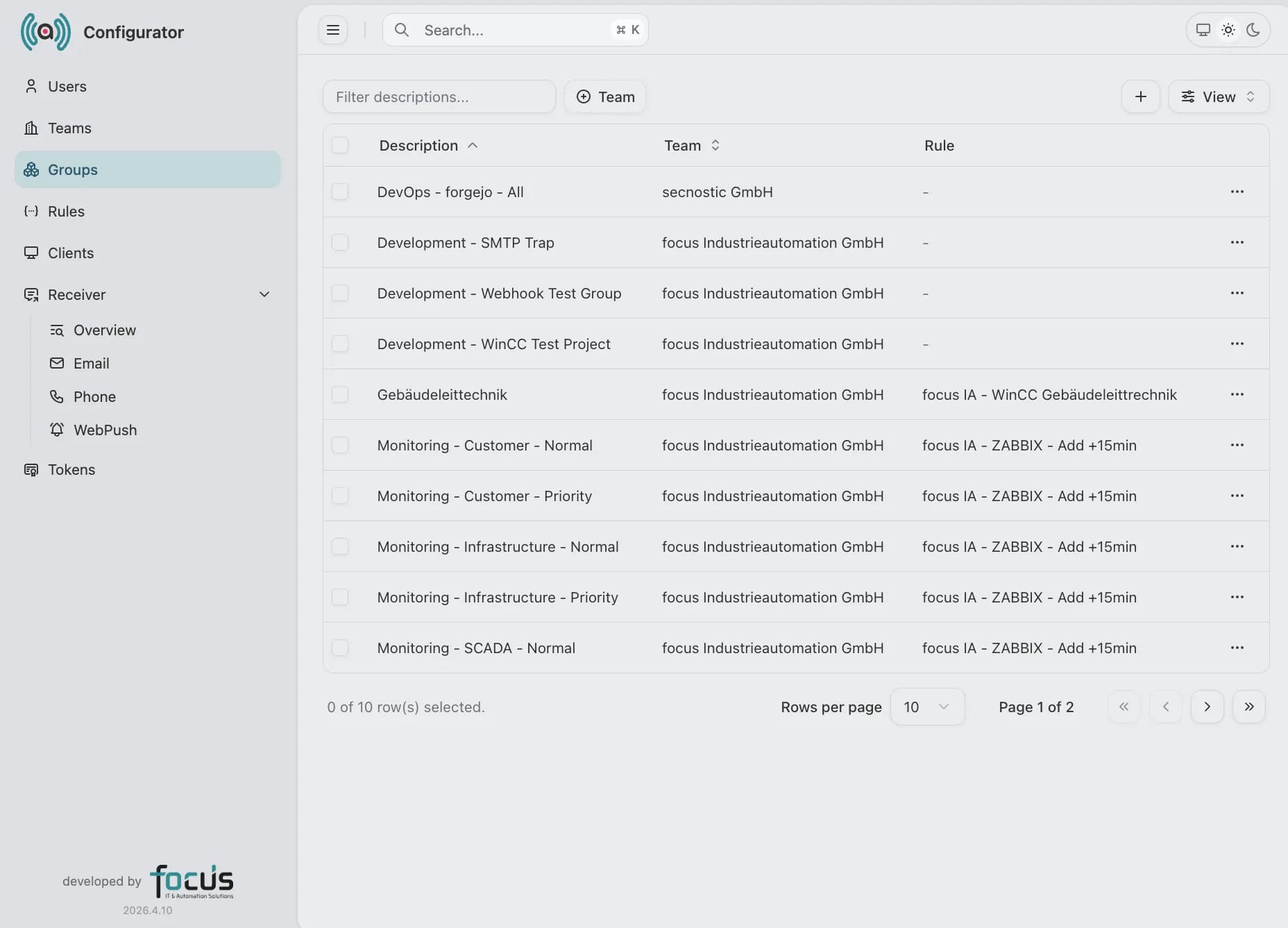
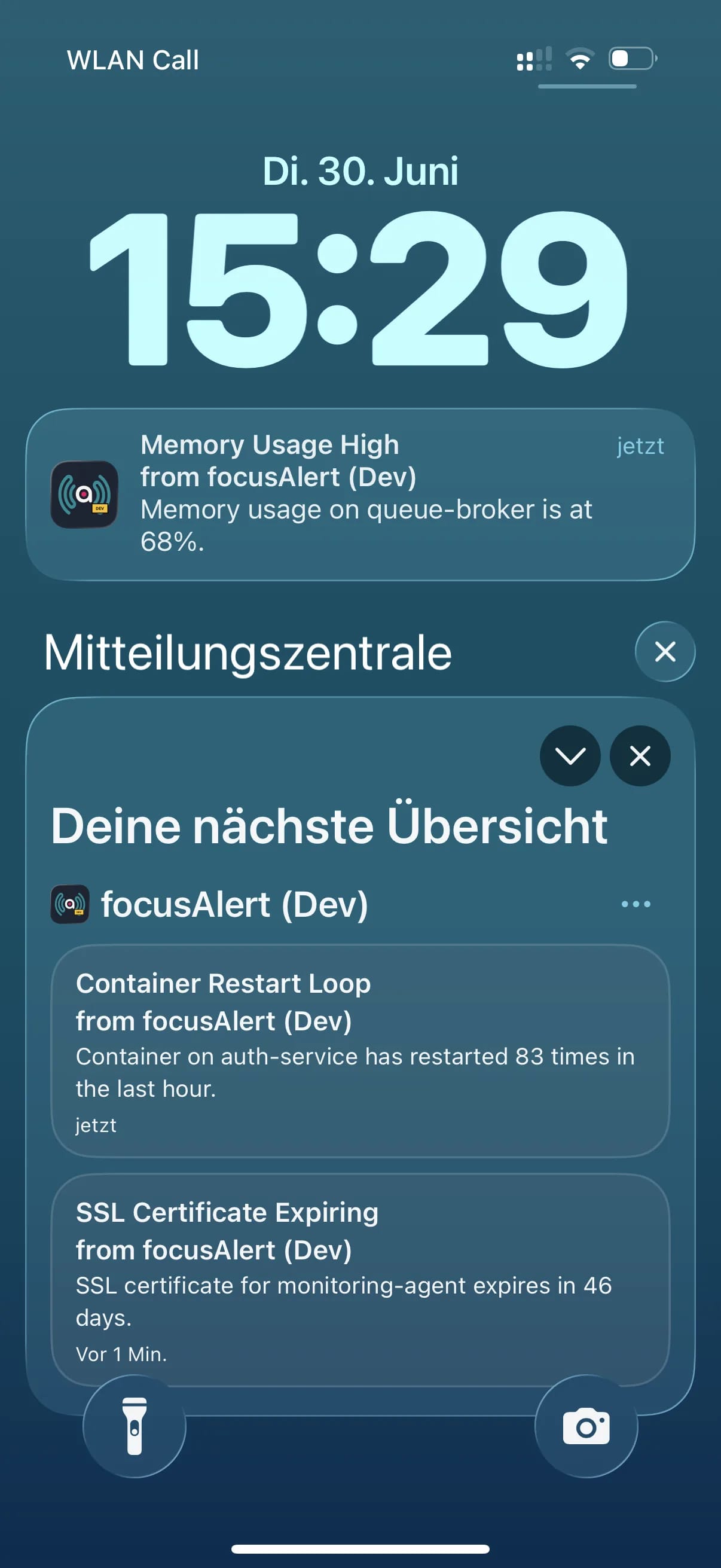
Agents on the source systems capture every event. focusAlert evaluates it with rules, groups and escalation to decide who is reached and how. Delivery then runs over the right channel.
focusAlert reads events from plant, monitoring, and mail systems and delivers them over the right channels. Inbound sources and outbound channels can be extended modularly.
Rules decide who is reached, when, and over which channel. Configured in a few clicks, with no programming required.
Repeats until someone acknowledges.
For edge cases, every stage is fully scriptable. That is rarely necessary.
A pumping station reports a pressure drop. The control room has to react at once.
A line fault during the night shift. Only the group on duty is woken.
Monitoring reports an unstable service. focusAlert waits out a grace period in case it recovers on its own.
focusAlert isolates everything through Teams. A Team bundles groups, recipients, rules, clients, and tokens, fully separated from every other Team.
Each Team encapsulates groups, users, recipients, rules, and integrations. Data access is filtered per Team on the server side.
Development, staging, and production run as their own Teams with their own tokens and rules, so configurations never mix.
Every client and integration gets its own token, bound to a single Team.
Within a Team, groups, notification order, and escalations decide who is reached and when.
Groups, rules, and receivers stay separate by task and share one event trail.
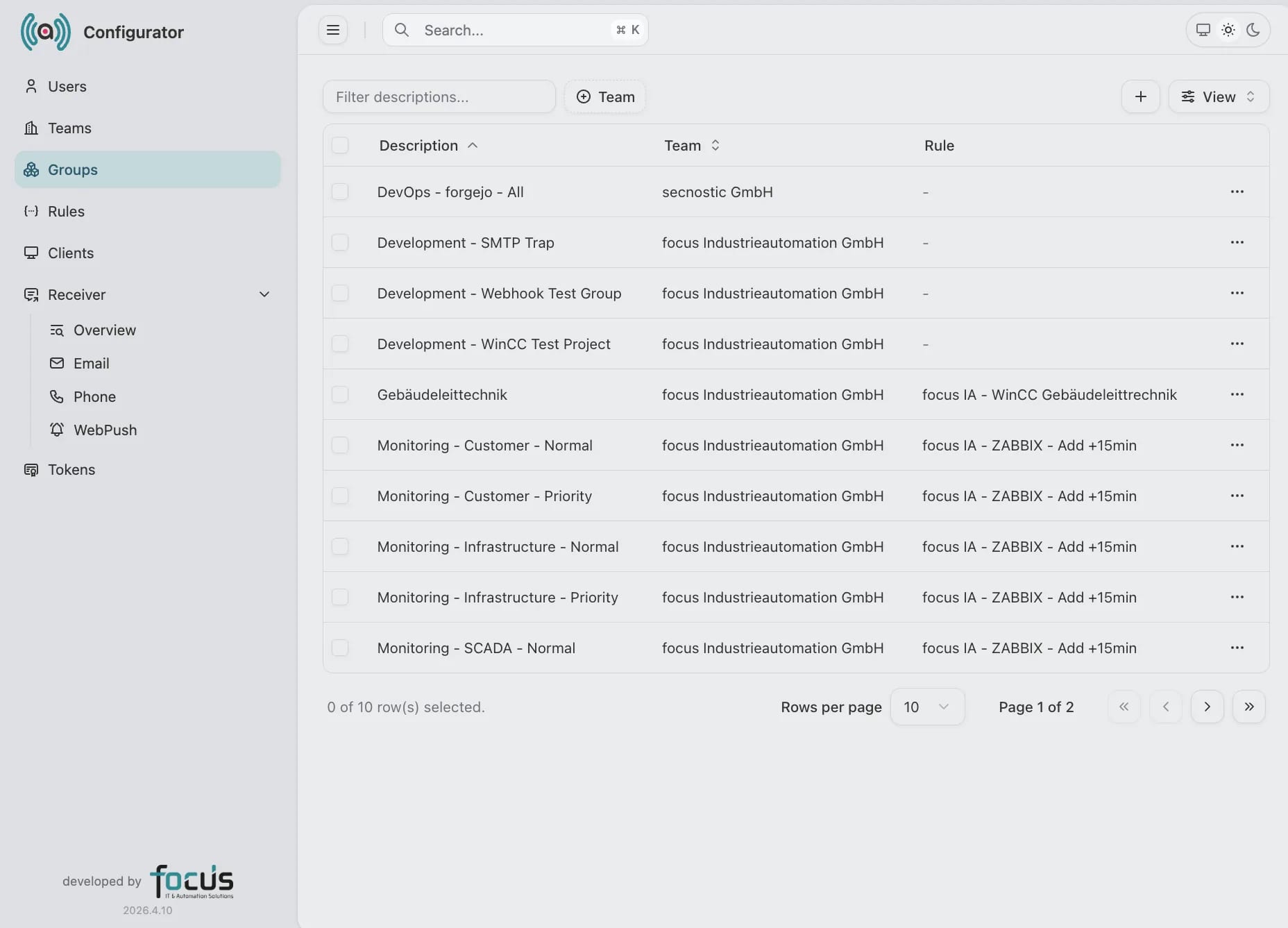
Configurator: routing groups, each with its team, rule, and receivers.
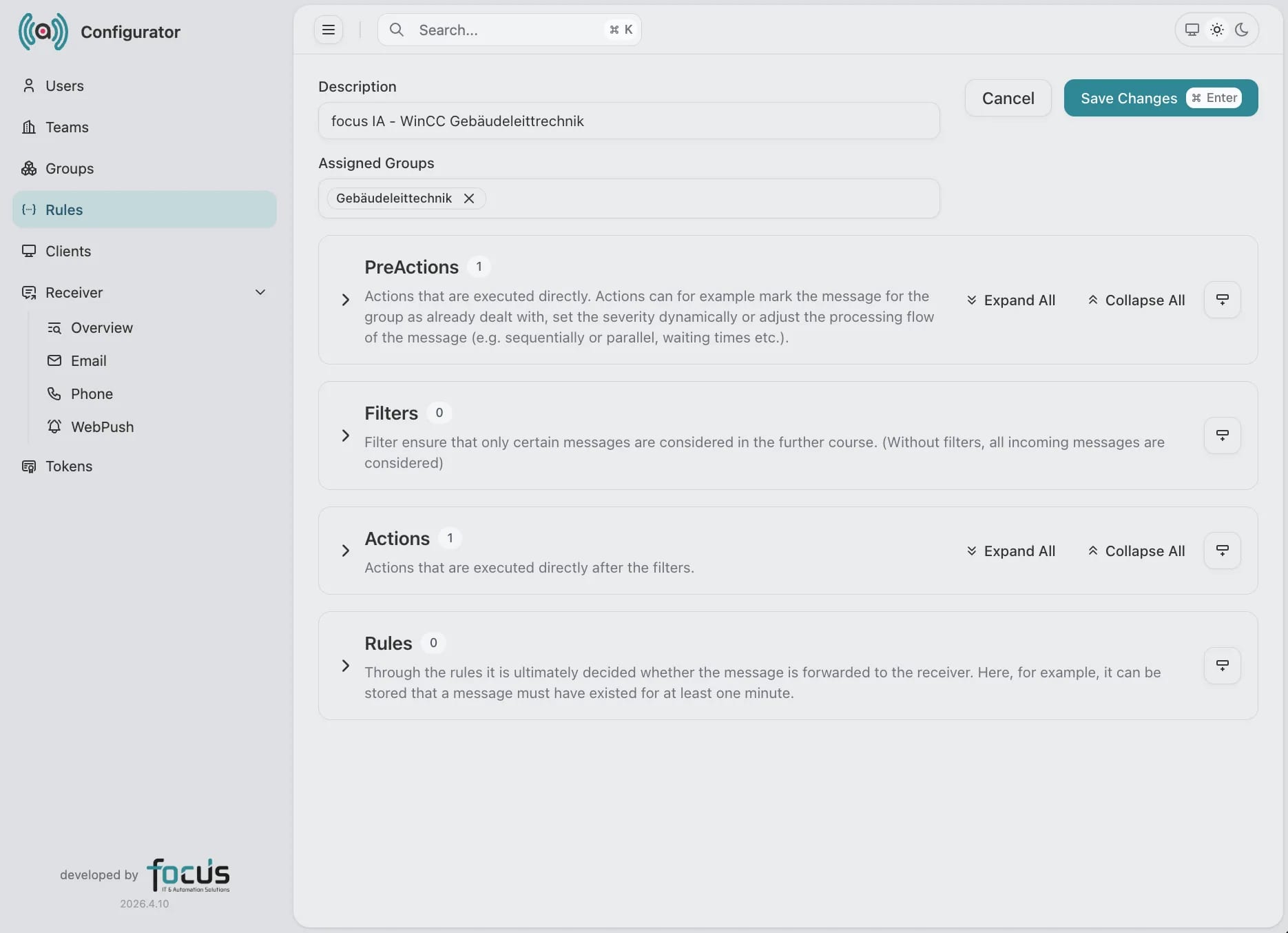
Rules: pre-actions, filters, actions, and conditions decide what happens to an event.
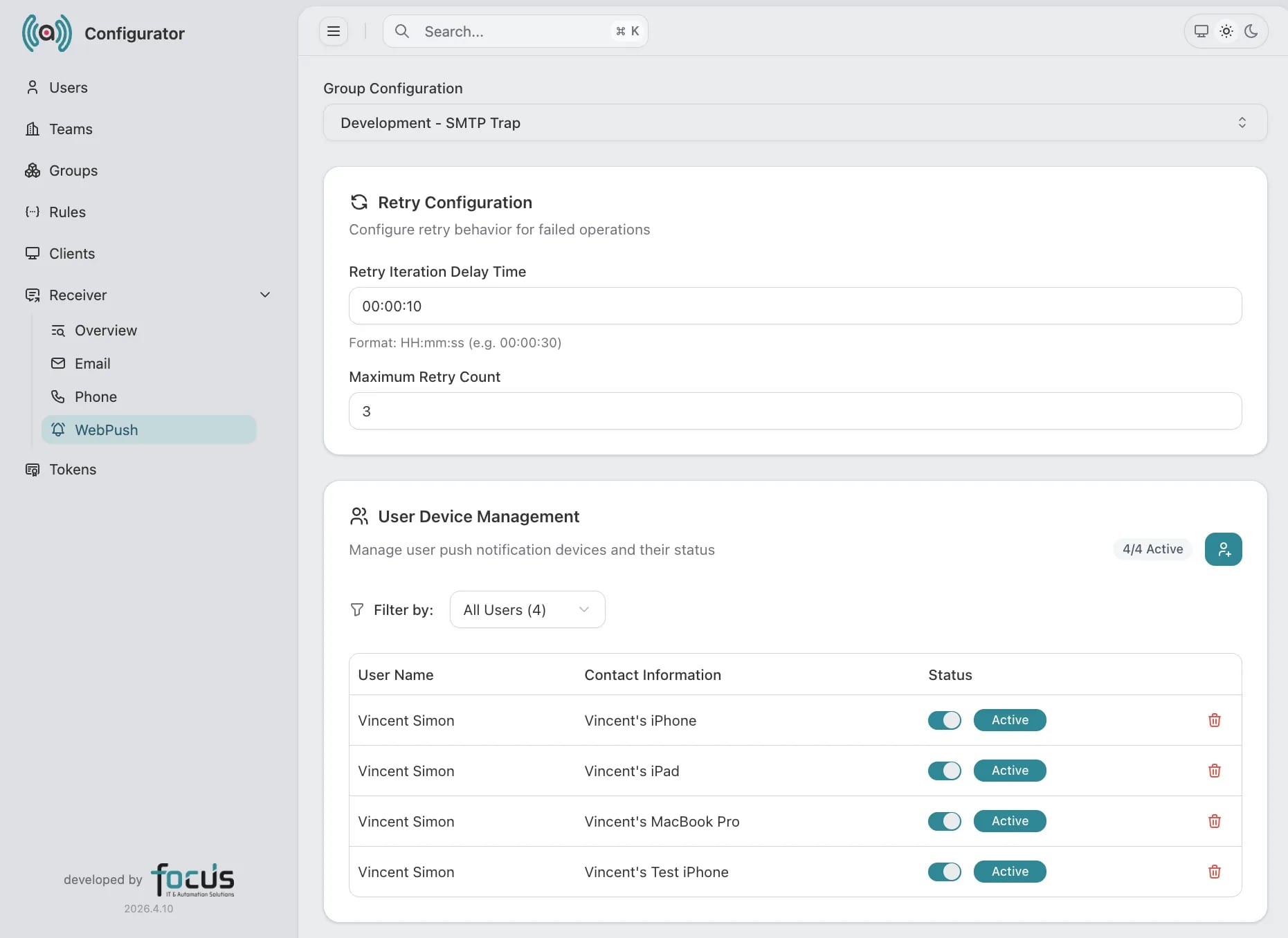
Receivers: configure retries and manage each person's registered push devices.
Discover machines and connections in a production line. Identify dependencies during maintenance and outages.
Bring together facilities, networks, and ownership across sites. Understand dependencies for operations and maintenance.

Discover technical devices in a building and their connections. Assign ownership and remote access.
Bring together computers, servers, software, and cloud services. IT operations and support use the same inventory.
Key questions before introducing focusAlert.
A configured webhook/API connection can pass events to focusAlert. This integration is optional. The source, event format and destination group are configured for the deployment.
No. focusAlert takes relevant events from existing systems and governs notification, escalation, acceptance, and traceability.
Typical channels are email, phone, and browser push. The selection depends on urgency, role, group, and operating mode.
Recipients can accept alerts or provide feedback. These states feed escalation, history, and analysis.
Yes. Organizations, groups, rules, recipients, and integrations can be operated separately and administered cleanly.
We review your sources, groups, on-call models, and escalation paths, then shape a first alerting scope that relieves operations quickly.